aphrOS

The rice you can actually reproduce.

Most beautiful desktops are irreproducible — a pile of hand-tuned dotfiles that works on exactly one machine. aphrOS is one Nix flake. The same input yields the same desktop, every time, on every machine.

Read the manual Why there is no ISO yet

Phase 2 of 4. Running daily on one machine. Nothing to download.

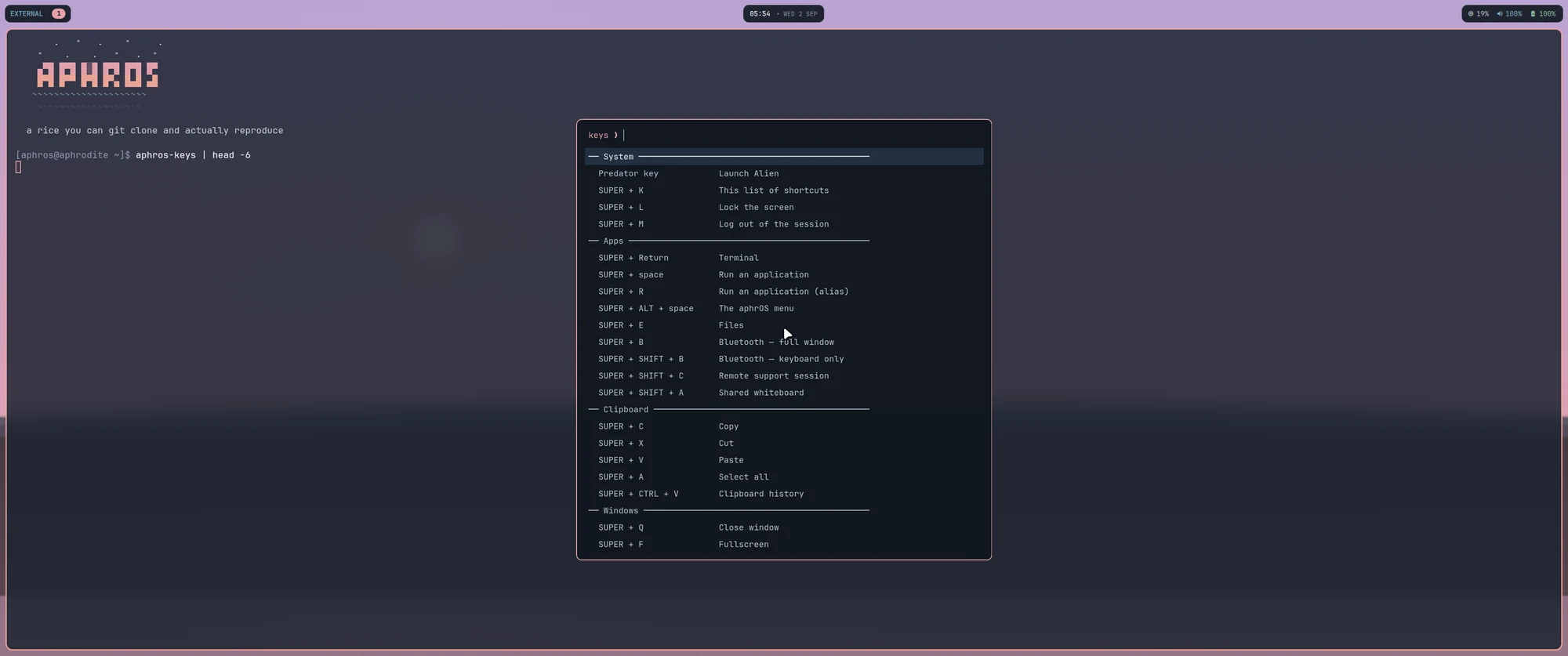
The aphrOS desktop: a dawn wallpaper, a floating status bar, and a terminal showing the aphrOS wordmark beside the keyboard-shortcut sheet.
Hyprland, a generated wallpaper, and the shortcut sheet on Super+K. Nothing here was placed by hand.

Reproducible, not malleable

Plenty of projects let you change anything. Very few let you rebuild what you changed. The difference shows up on the day the disk dies.

Ansible orchestrates, Nix declares

Ansible renders the flake, moves secrets and drives the rebuild. It never mutates the running system — no package installs, no lines edited into /etc. If something can't be expressed in the flake, that's a design bug, not a licence to reach for a shell.
A second converge reports changed=0

That's the acceptance test, not a slogan. A run that has to change something the second time round has found drift, and drift is the thing this whole design exists to make impossible.

The image carries no secrets

Not one. Keys live in a vault and arrive at converge time; the repository holds paths and never values. You can hand someone the whole flake and lose nothing.

One palette, everywhere

The compositor, the bar, the lock screen, the notification daemon, the terminal wordmark — and this page — all read the same file. The colours you are looking at were generated from it when the page was built.

A desktop you can find your way around

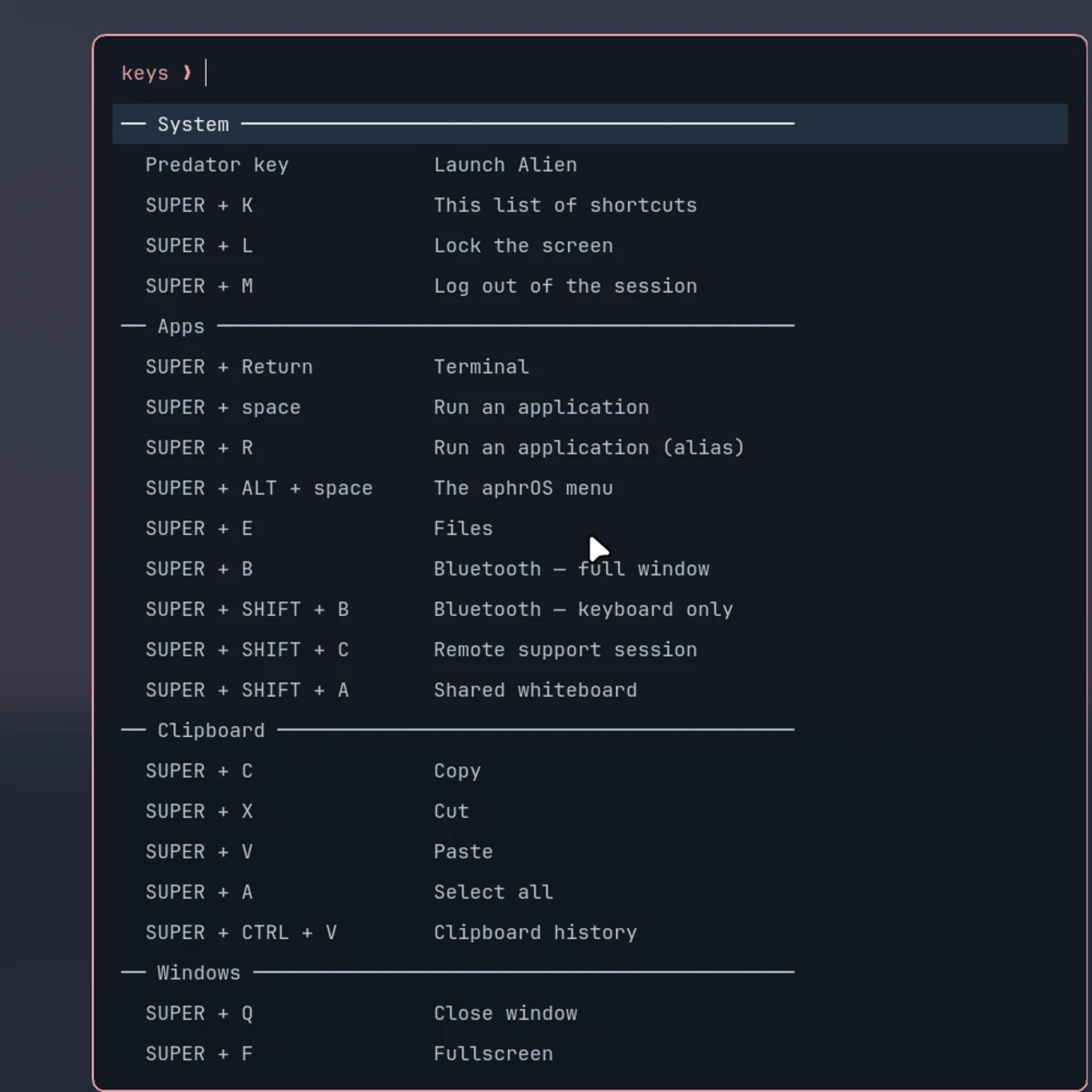
Every binding lives in one list, and that list feeds both the compositor and the sheet you're looking at. A shortcut that isn't on the sheet isn't bound — the two cannot disagree.

  • SuperK Every shortcut on the machine
  • SuperSpace Run an application
  • SuperAltSpace The aphrOS menu
  • SuperC Copy — in the terminal too
The aphrOS shortcut sheet, showing System, Apps, Clipboard and Windows groups in aligned monospace columns.

And a menu, so nothing needs prior knowledge

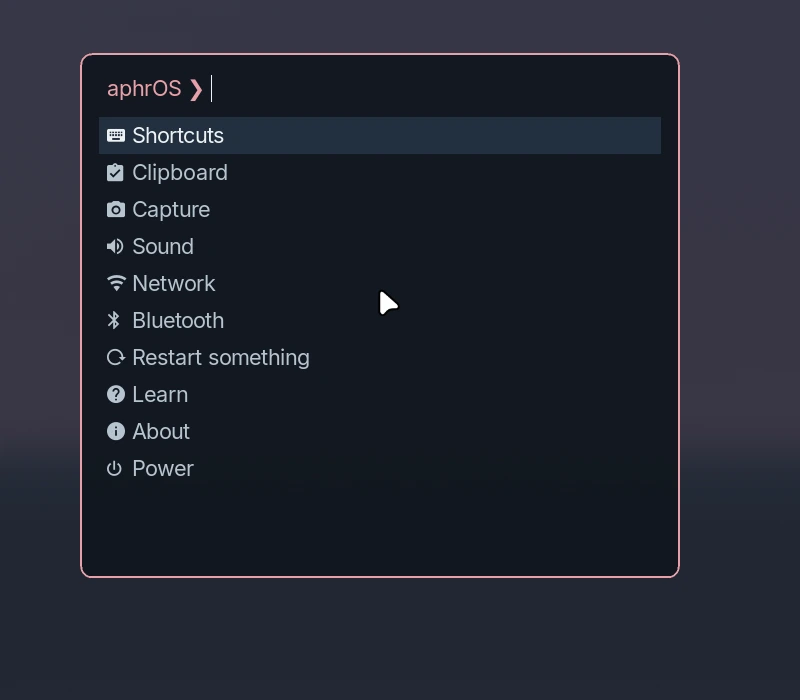
Settings, capture modes, the documentation and the power actions, all reachable without knowing a command first. There's a section for restarting Wi-Fi, Bluetooth, audio, the bar or the notifier — because that fixes most of what people reboot for.

Shortcuts · Clipboard · Capture · Sound · Network · Bluetooth · Restart something · Learn · About · Power

The aphrOS menu open over the desktop, listing Shortcuts, Clipboard, Capture, Sound, Network, Bluetooth, Restart something, Learn, About and Power.

An encrypted disk that opens itself

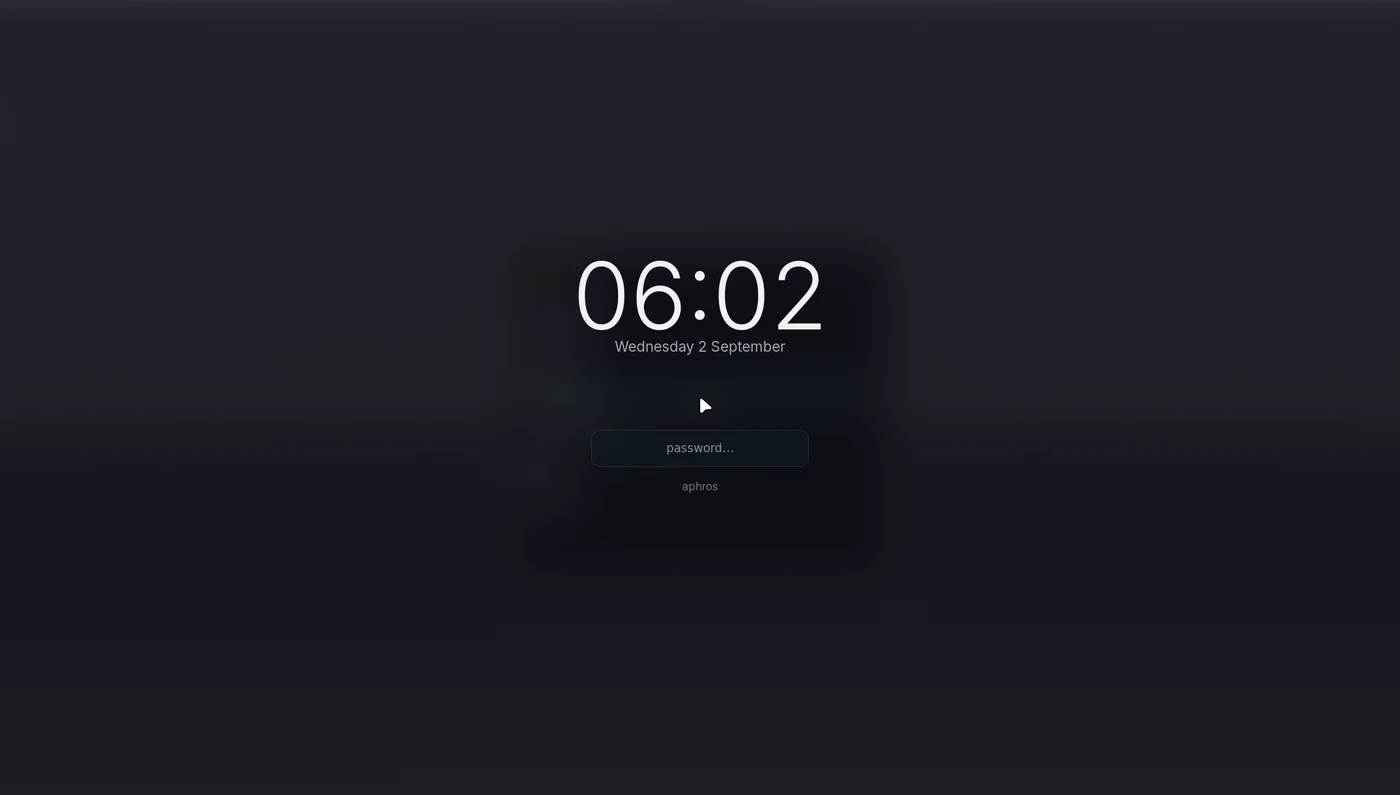
Full-disk encryption usually means someone types a passphrase at a keyboard. aphrOS unlocks over the network — LUKS2 with a network-bound key — and only when the owner's phone is actually present, proven over Bluetooth before the root filesystem is touched.

Take the phone out of the room and the machine asks for the passphrase like any other. There is a typed fallback on every path.

The aphrOS lock screen: a large clock over a dim background with a single password field.

Where this actually is

aphrOS runs every day on one laptop. It is not something you can install yet, and this page would rather say so than imply otherwise.

  1. P1a Ansible skeleton and the bare-metal install role
  2. P0 First machine bootstrapped to minimal NixOS
  3. P2 The build-out — drivers, hardening, compositor, ricing, gaming, tooling
  4. P3 A published ISO, and this manual finished

What's missing, plainly

  • No ISO. Nothing to download, no installer to run.
  • No hardware compatibility programme. It's proven on one laptop — an Acer Predator. Other machines are untested, and claiming otherwise would be the easiest lie on this page.
  • The source is not public yet. It opens at P3, together with the ISO.

Built in the open, funded by nobody

No company behind this, no foundation, no sponsorship deck. If the ideas here are useful to you, this is where you can say so.

GitHub Sponsors Patreon Liberapay Ko-fi PayPal